
Skip to product information





2 din Carplay Android Auto Radio For Toyota Corolla Verso AR10 2004-2009 Car Multimedia GP
$528.38
>> Why choose Ossuret?
1. Fast delivery:After verify payment will ship out within 24H from EU warehouse and 24H ship from China warehouse in Working day time.
2. Product quality assurance:All products have been passed strict quality test before shipment, make sure high quality.
3. After sale service:If the product has a problem within 365 days after receipt confirmation, please contact us first to communicate(24H customer service),we will help you to fix it or replace it. We provide updates for Firmware, Software, UI, Navigation maps for FREE.
>>Impotant Notice as follows:
① All products have been passed strict quality test before shipment, make sure high quality;
② Please write your full name and correct address with zip code when you order,if you have your email ,can leave us on order chat after paid, which will have the shipment notice to email from carrier if shipped by seller manual;
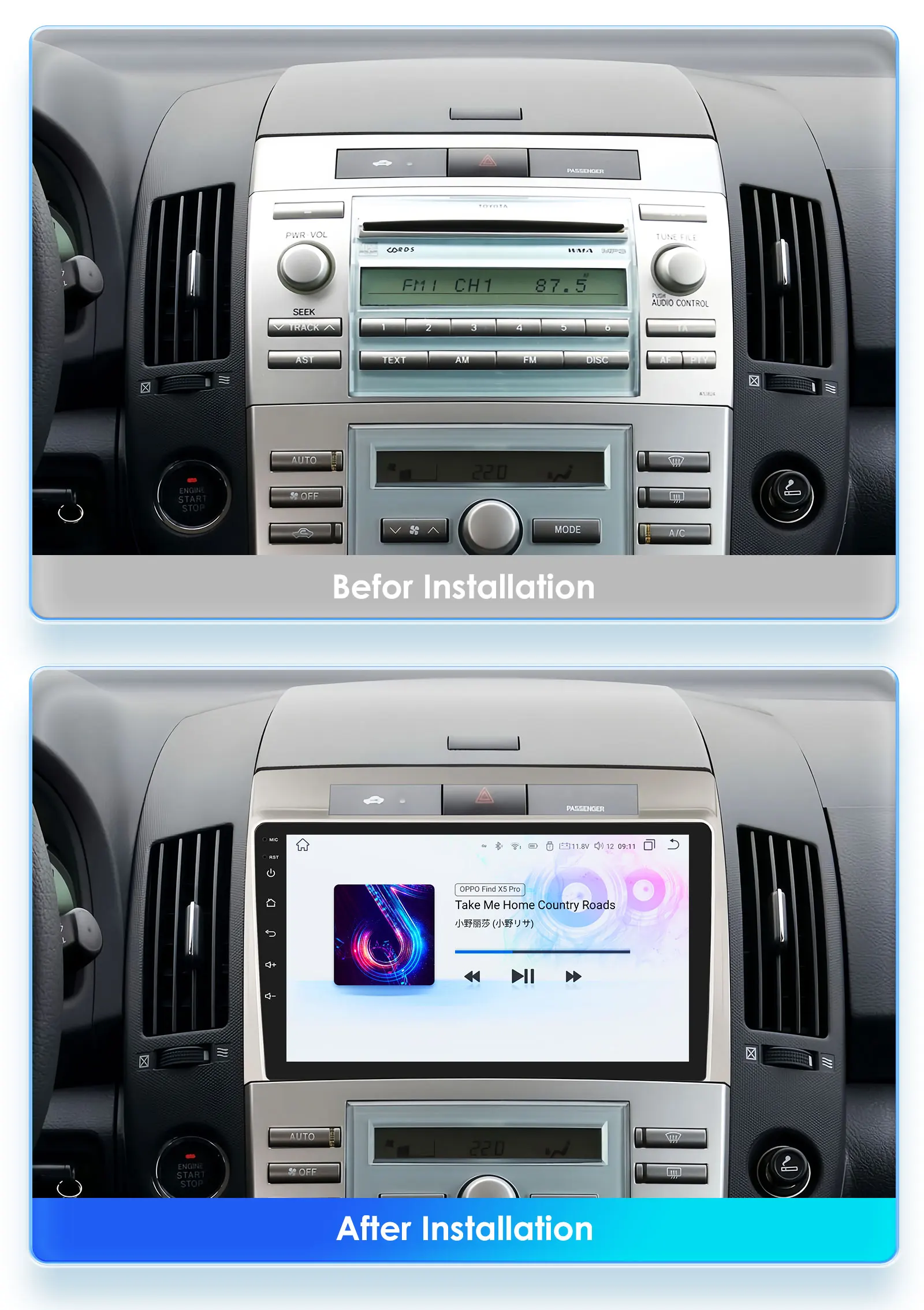
③ Please check your original car radio size and appearance & its compatible list with the Notice details before make a order bid to avoid mistake; if needs other adapter for installed which needs to order separately except the description accessories picture shows.
④ our item not includes installation instructions except the rear camera instruction file, but you can contact us on order chat if needs helps for installation;
⑤ Professional installation is necessary,the car maintenance store is the best choice for you;
⑥ Custom clearance is the buyer's duty, Whether to generate tariffs depends on the local customs policy.
Hope to see your order soon :)
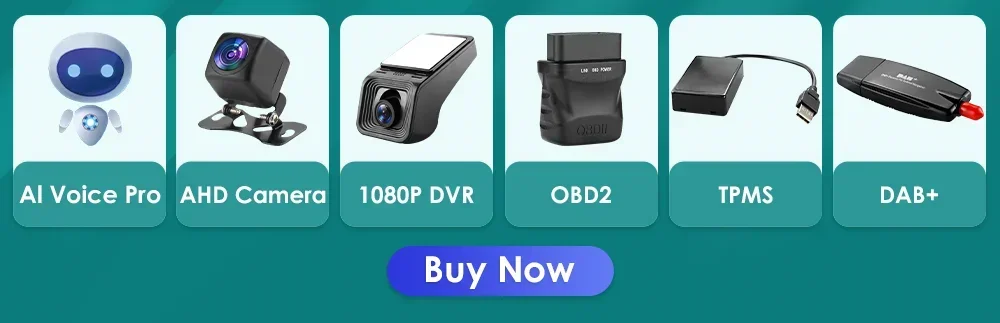
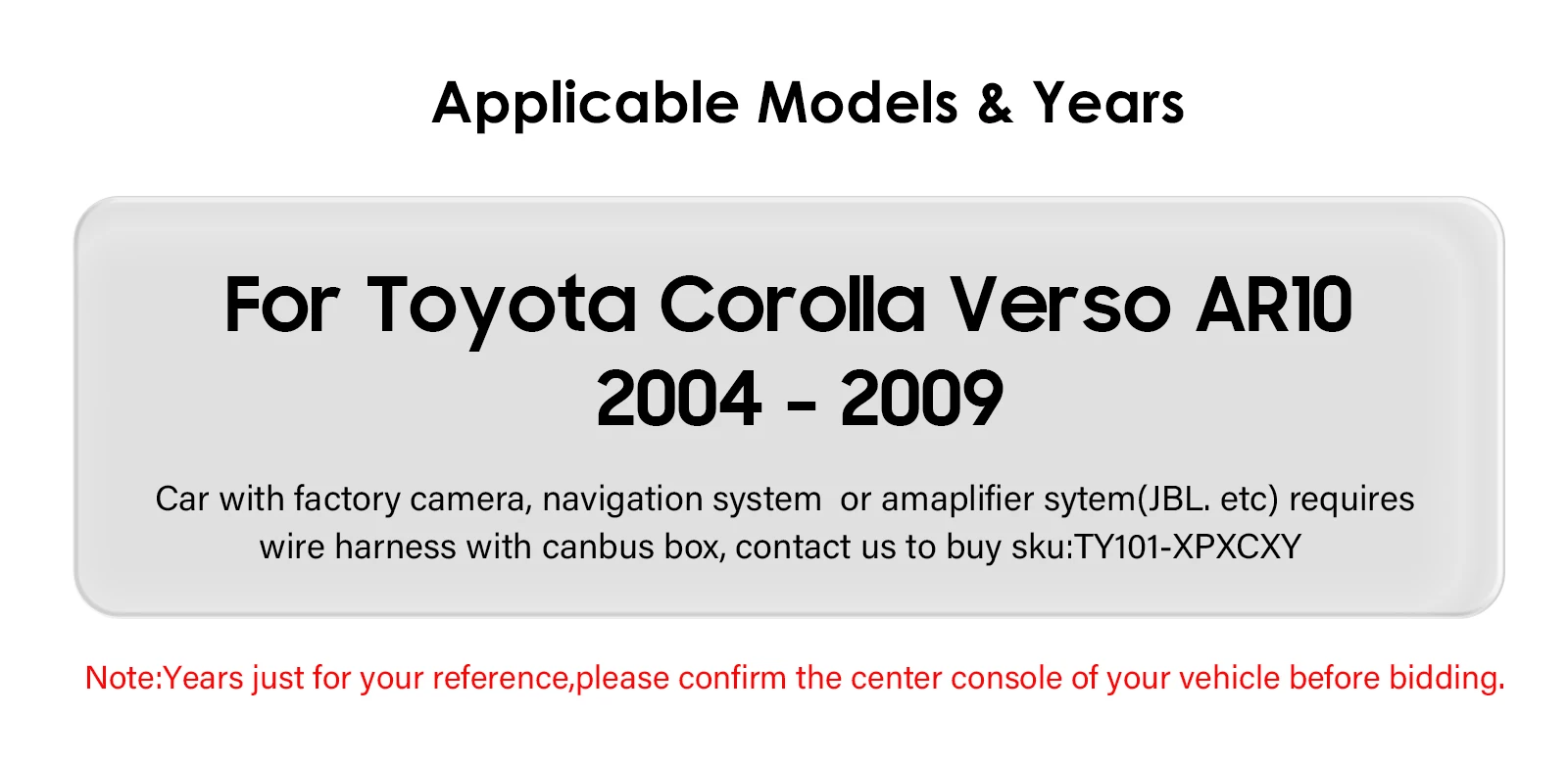
If you want to buy accessories, just click on the corresponding picture, then add to the shopping cart and pay together(These accessories are only suitable for radios in our store, please do not purchase accessories separately).Applicable Models & Years
For Toyota Corolla Verso AR10 2004 2005 2006 2007 2008 2009
Note: years just for your reference.please confirm the center console of your vehicle bidding.
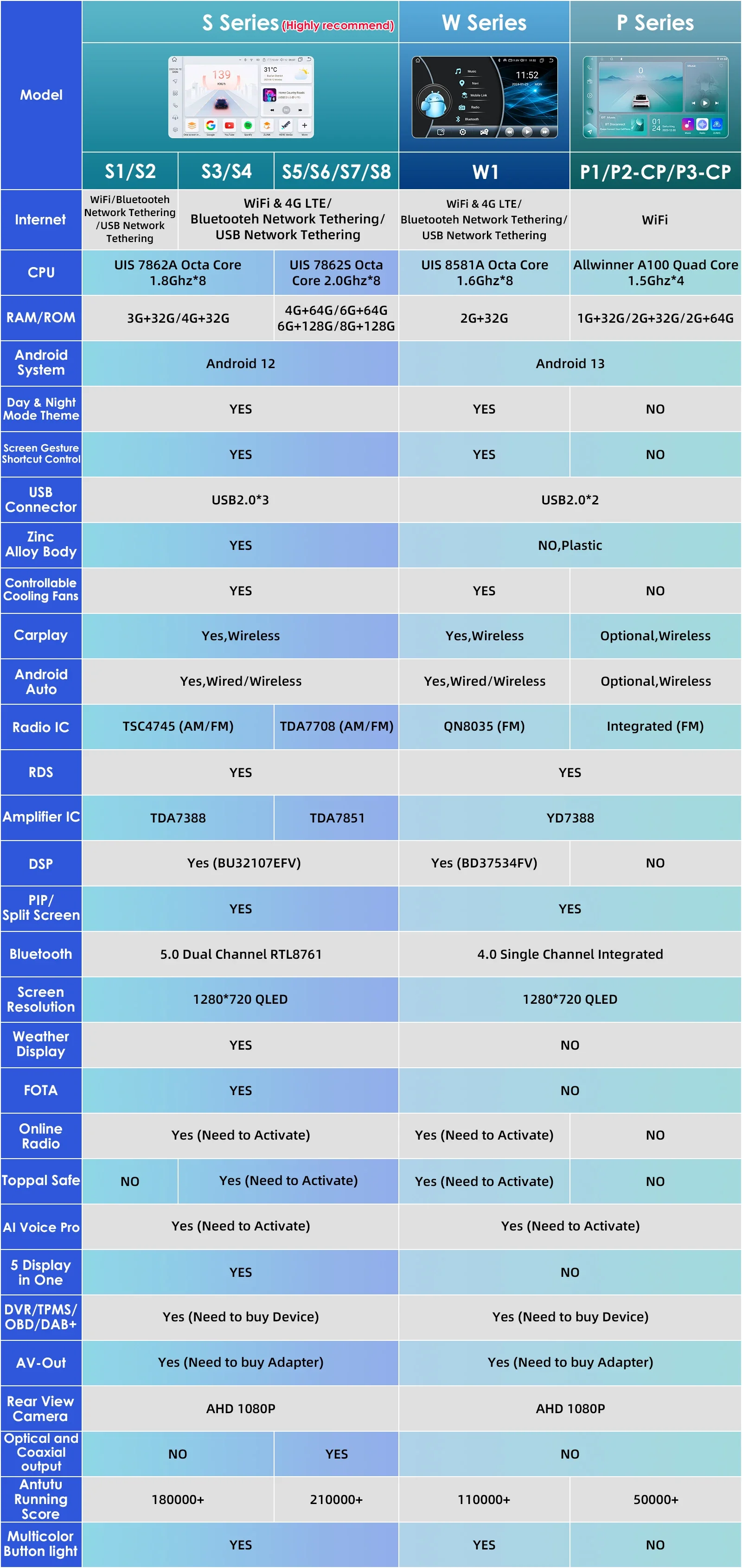
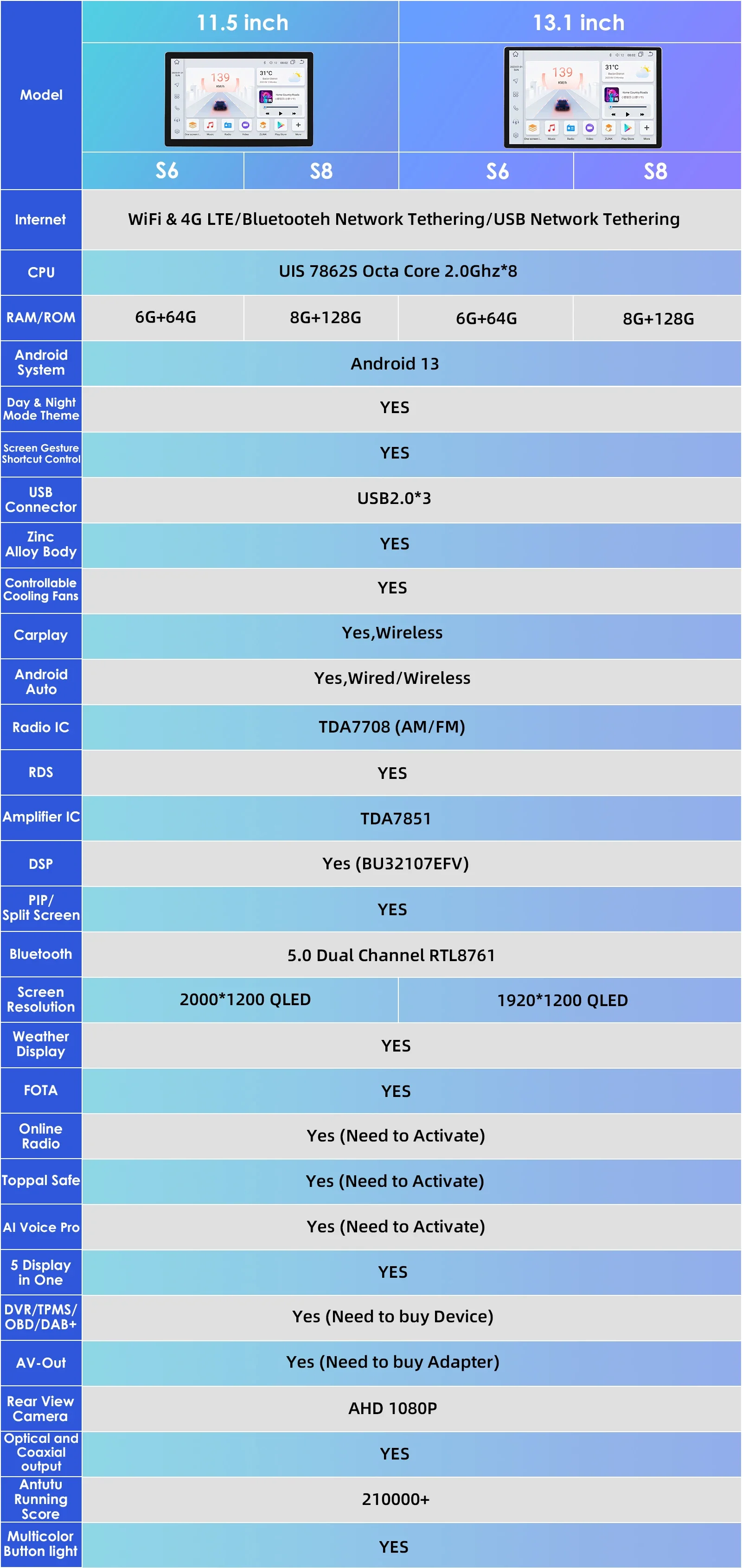
The following is an introduction to the functions of the S series models
> Basic functions:
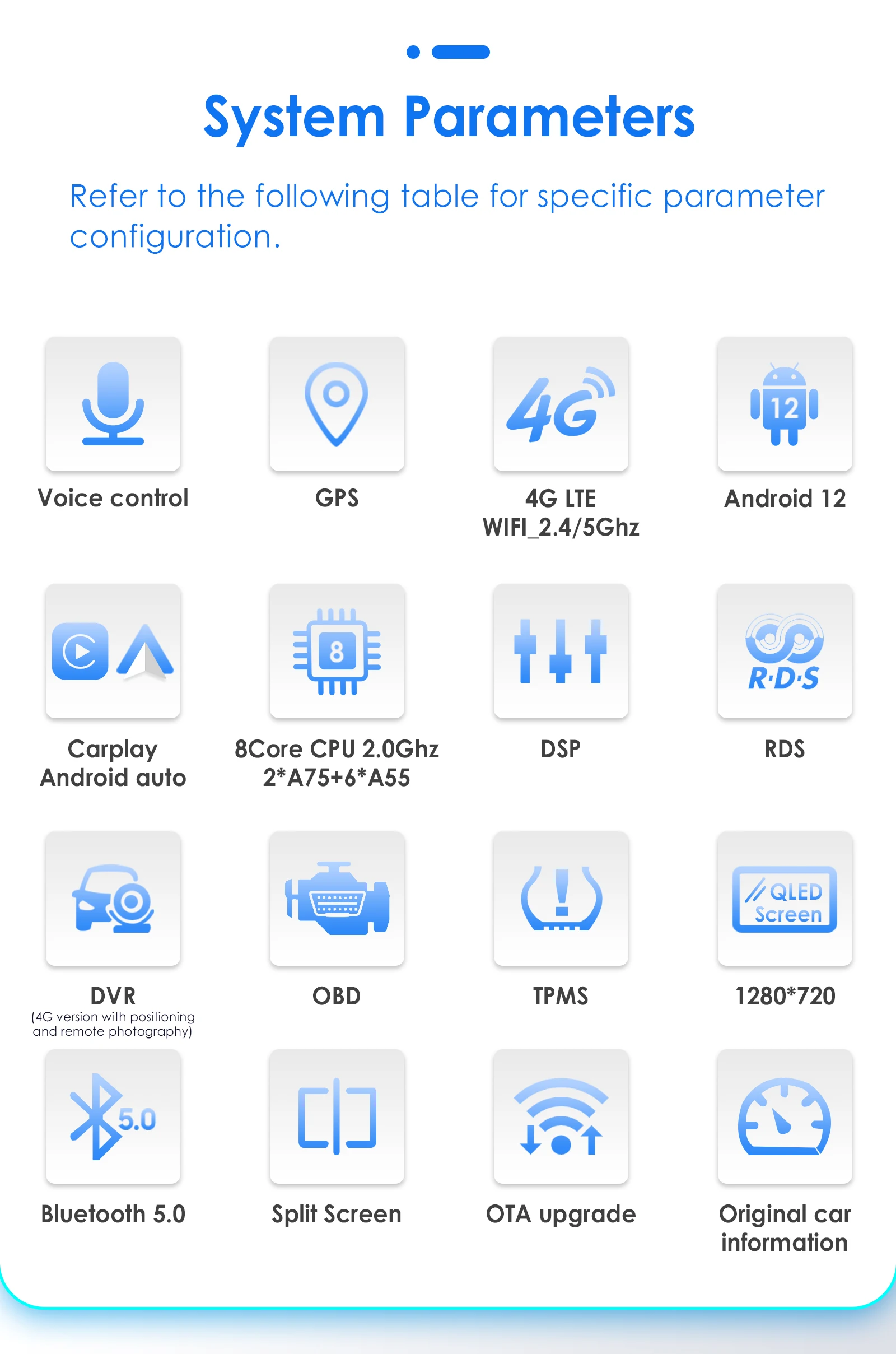
1, Android 12 + Built-in Wireless Carplay/ Android Auto ;
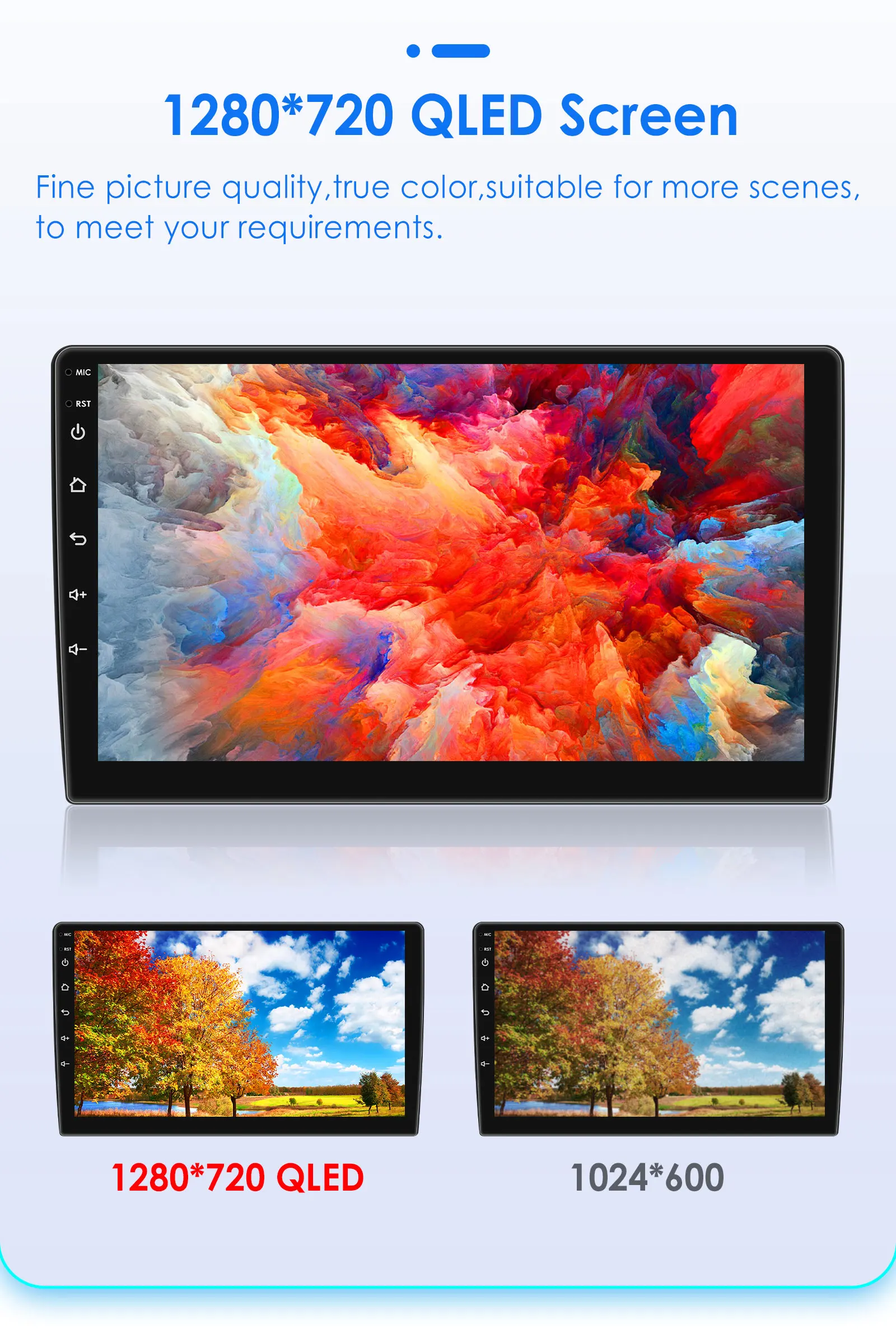
2, QLED 1280*720P Screen, deliver a clearer and more vibrant picture;
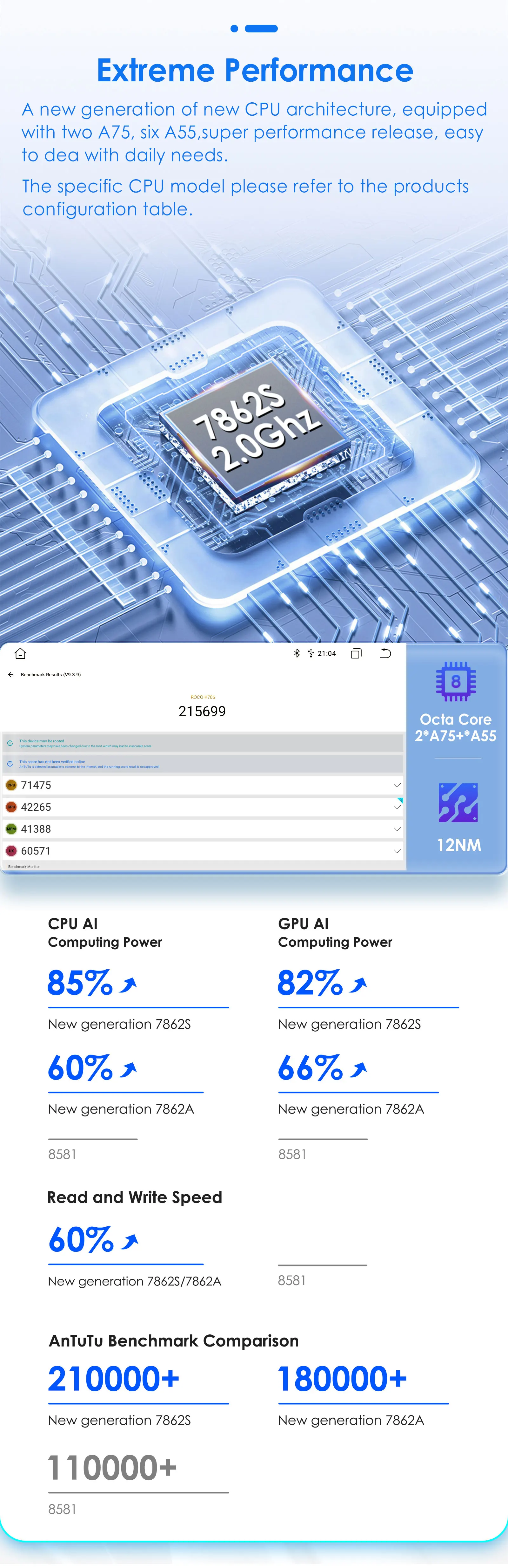
3, Octa Core 2.0GHZ + 7862S (3GB/4GB/6GB/8GB) Flash + (32GB/64GB/128GB) Memory ;
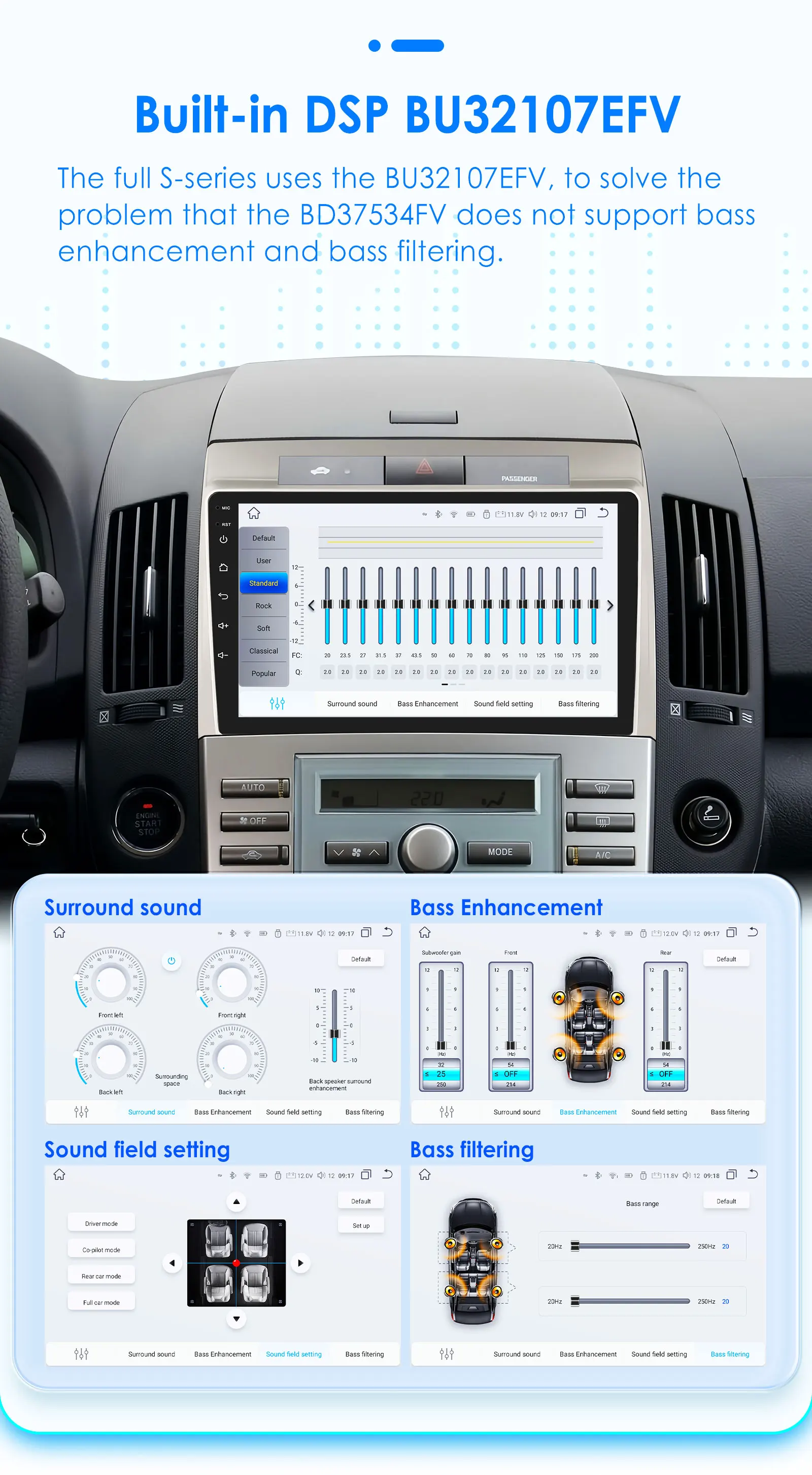
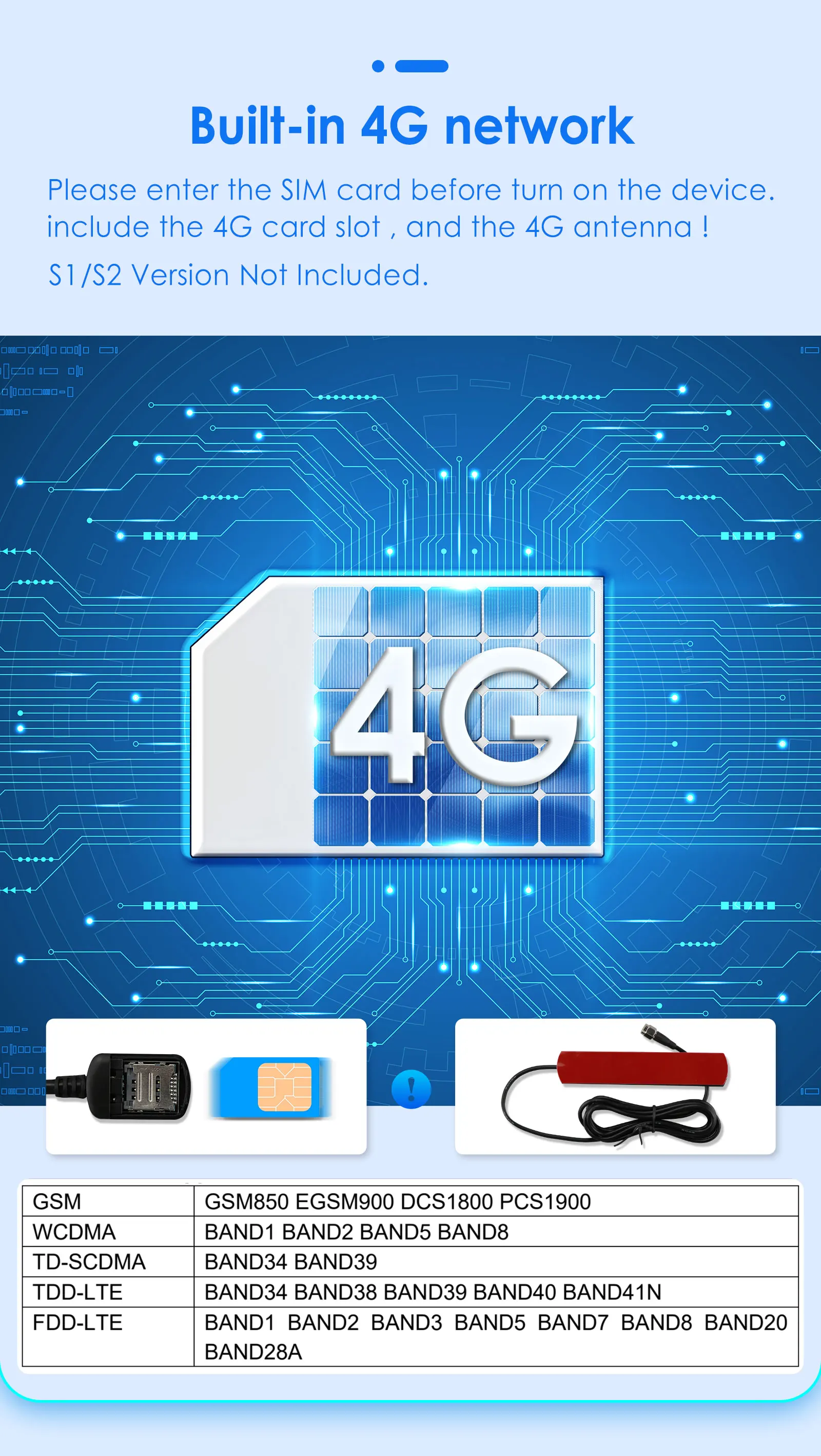
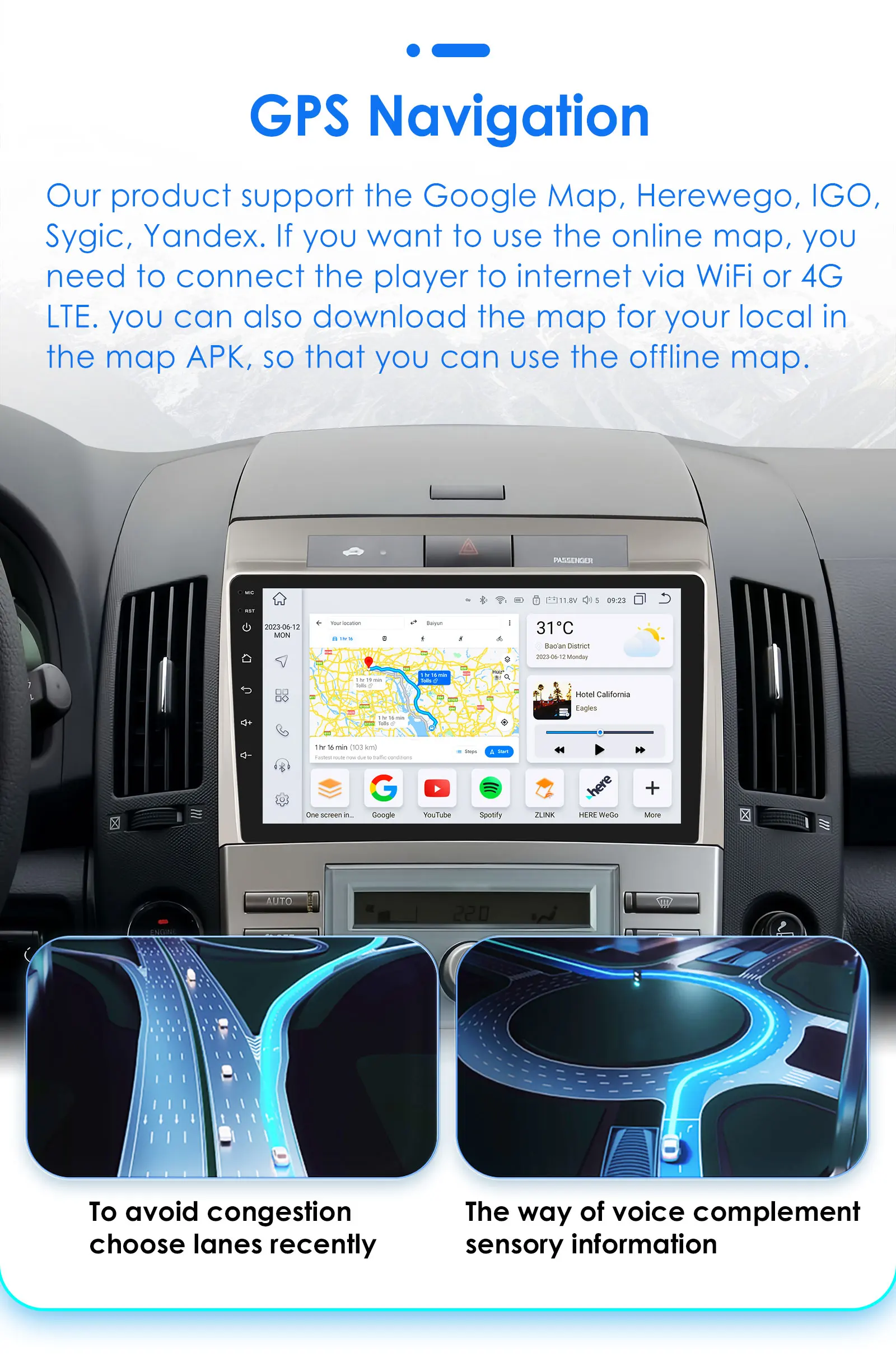
4, 4G Network + Steering Wheel Control + RDS +Built-in Navigation Offline Maps + High-quality DSP chip makes the sound quality playback even better;
5, Our radios' power cable is pin to pin, can be directly connected to the car power interface, easy to install.
> Product's features:
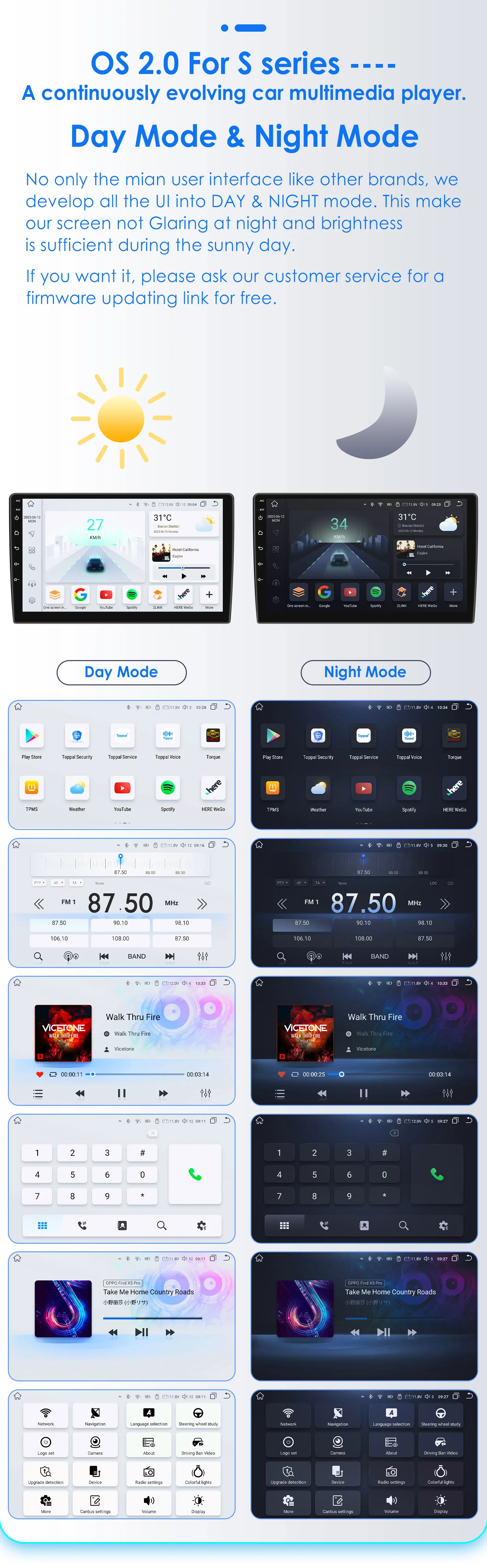
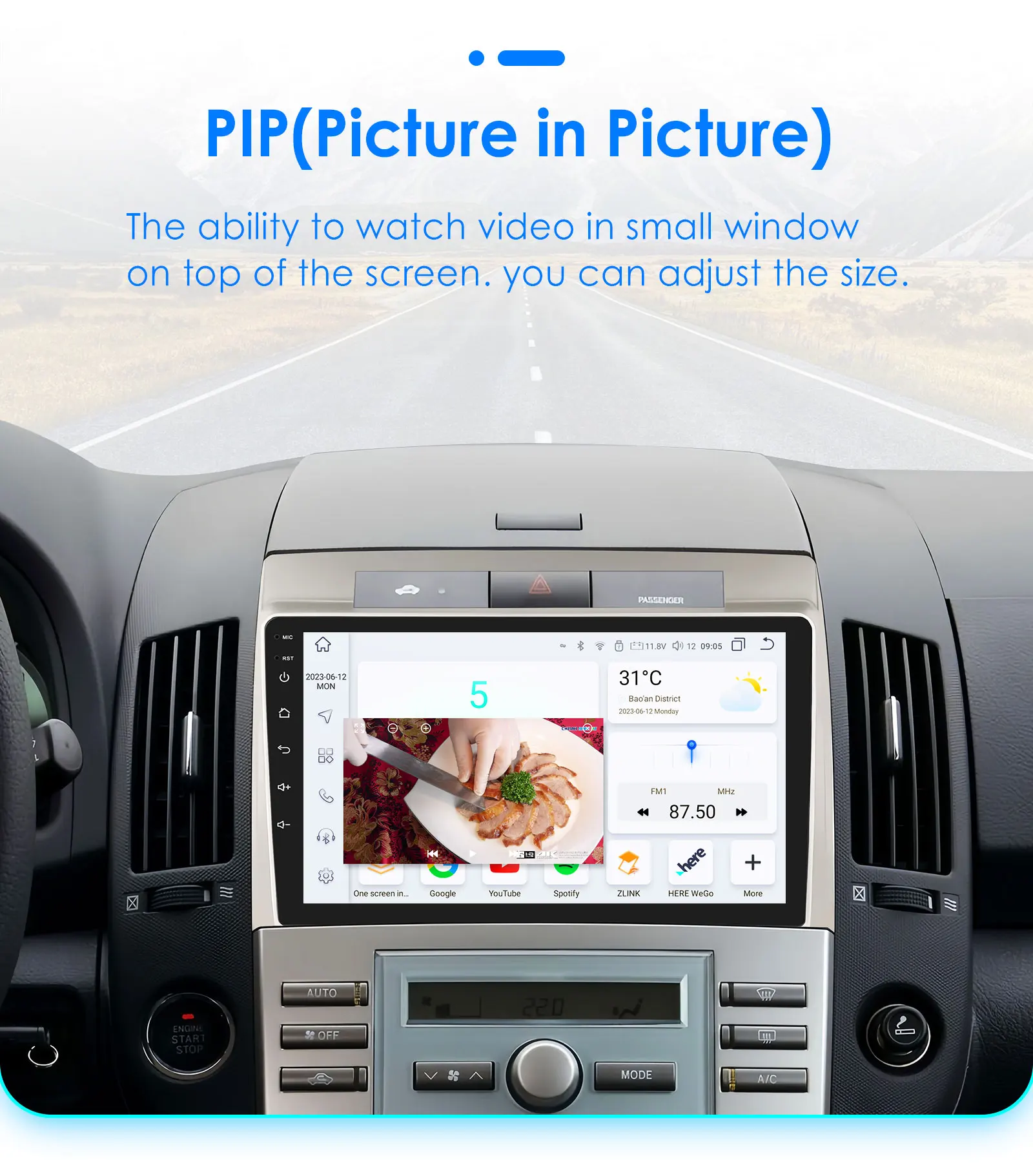
1, Personalized UI Design, common functions are integrated into the desktop,and allowing you to switch, support day and night mode;
2, Online radio: Relies on internet to search multiple channel (cover 20 countries' stations)
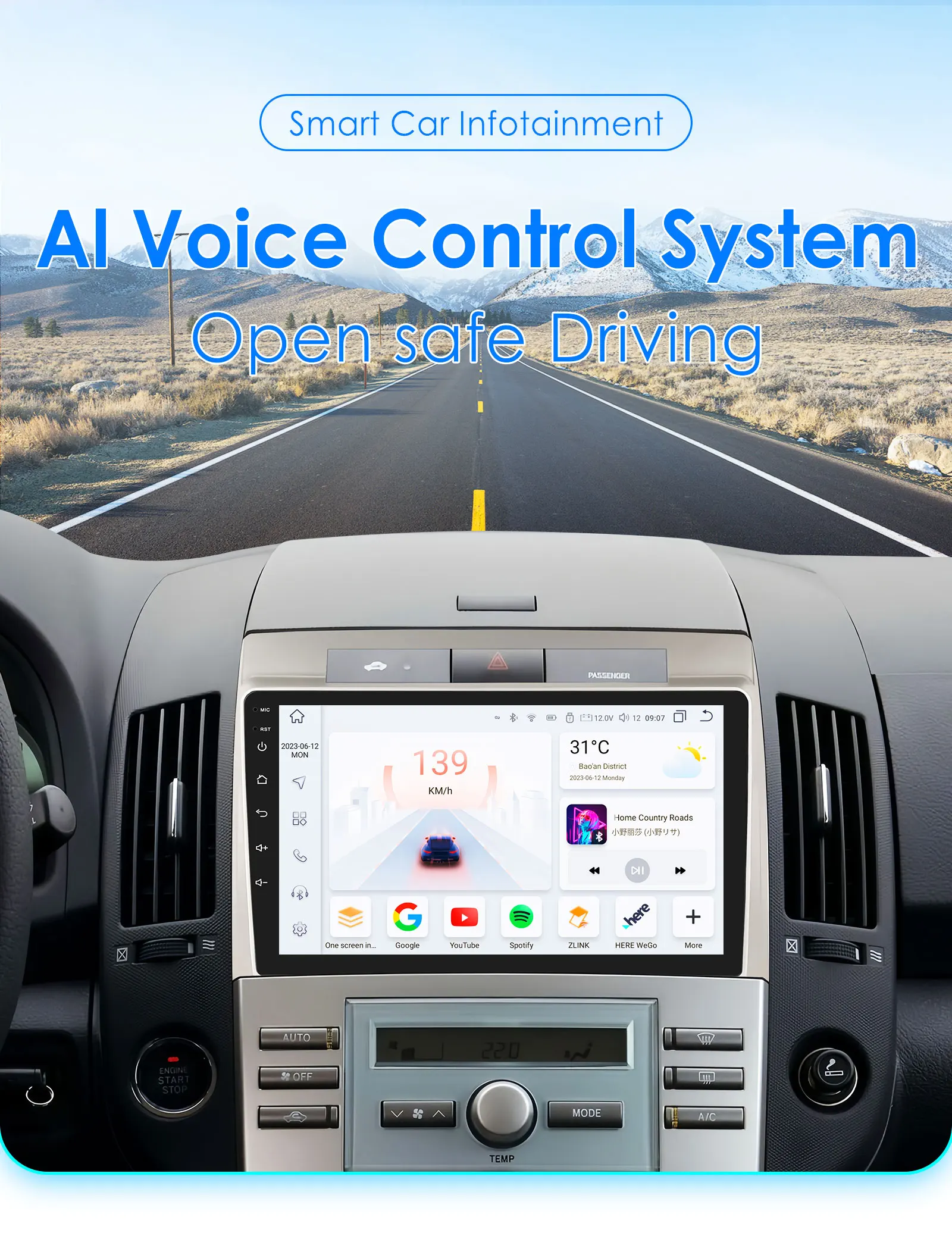
3, Advanced voice control: Control radio by voice, improve driving safety;
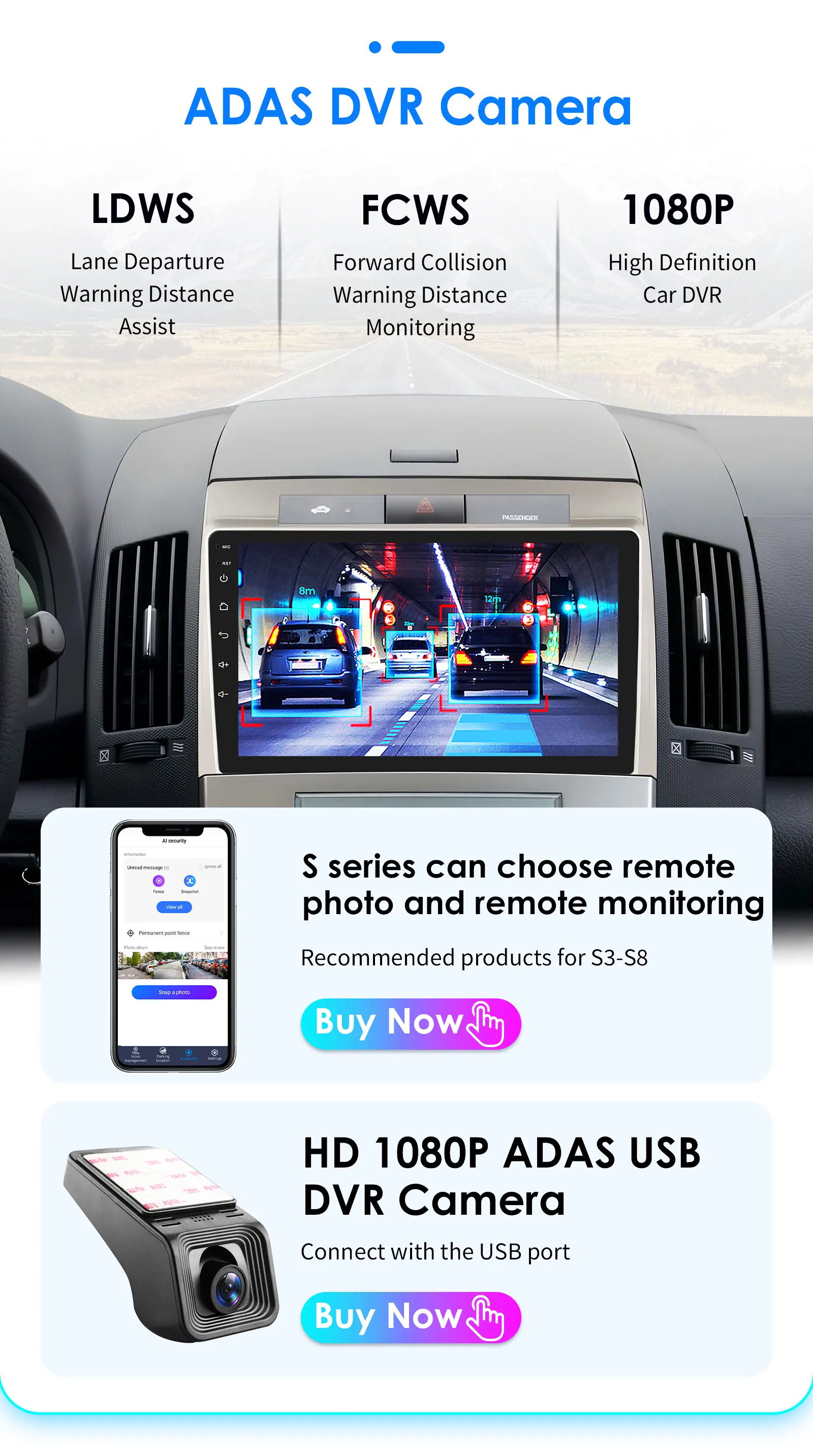
4, GPS track: Using the DVR app to view driving tracks, parking locations, and remote surveillance shooting (need buy dashcam);
> Optional accessories:
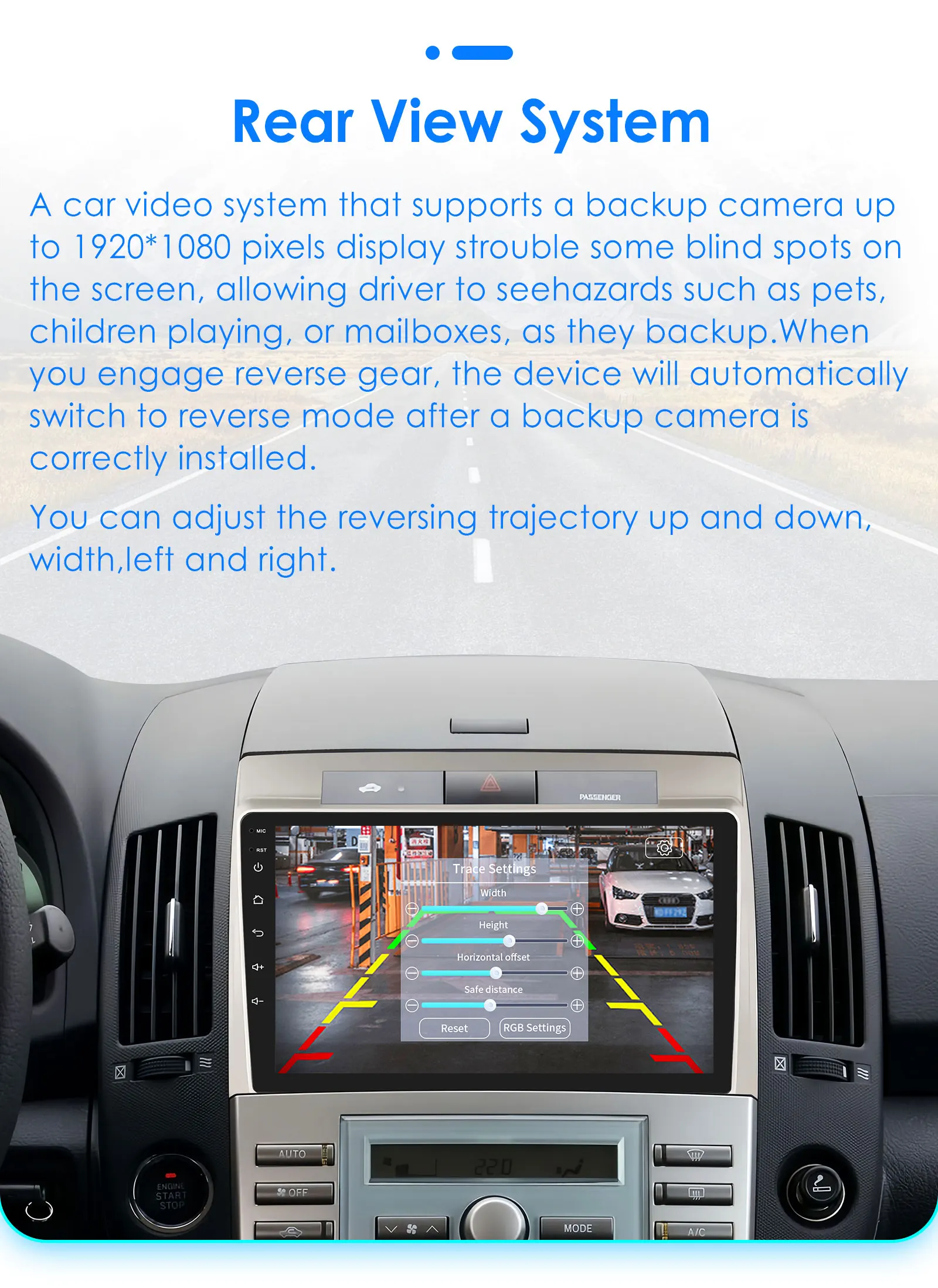
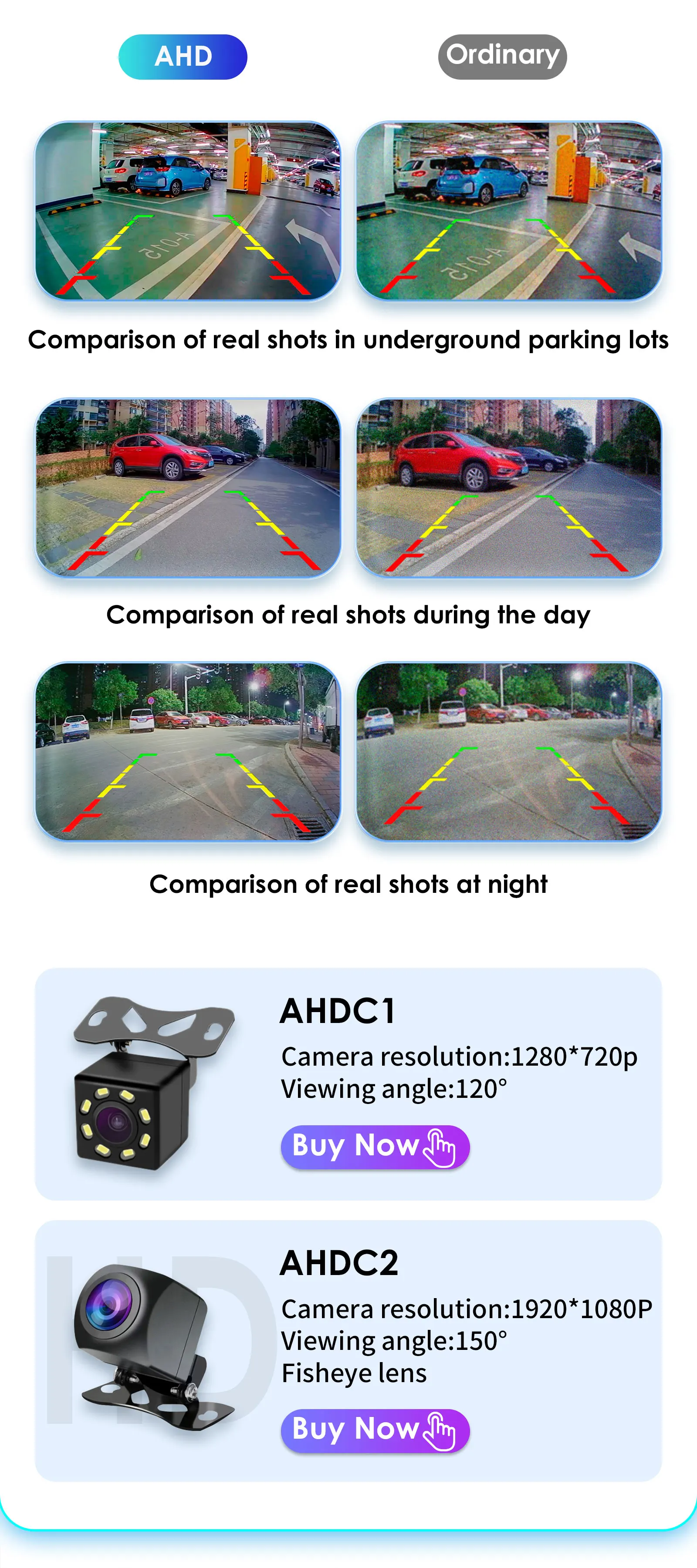
1, AHD Rear Camera: Higher video resolution and stable transmission;
2, ADAS & GPS Tracer DVR: You can check tracking information and parking location on your phone;
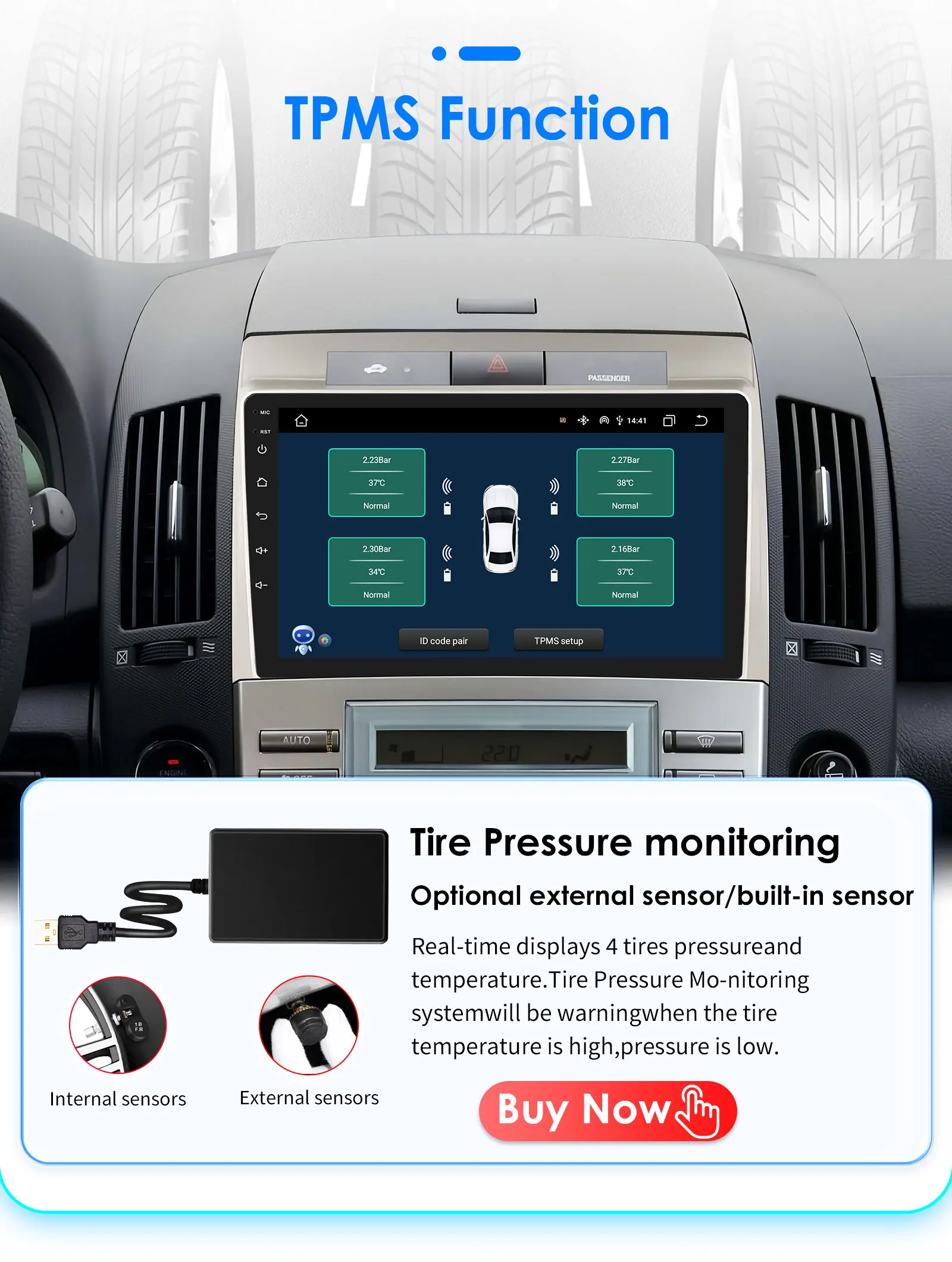
3, Tire Pressure Monitoring: Automatically update tire pressure and temperature to ensure your driving safety;
4, OBD2: More accurate detection and repair of vehicle problems;
5, External Microphone: Support for connecting microphones with 3.5mm port;
6, DAB+: Using digital signal transmission, it can provide more stable and clear audio effect.
Important Note:
1. This list shows the S series Model , The other item picture not show on this description list ,but you can check the details on follow first picture shwos its functions ,Please choose the model you need before bidding.
2. Compatible list just for your reference ,please confirm shape & size of certer console before bidding.







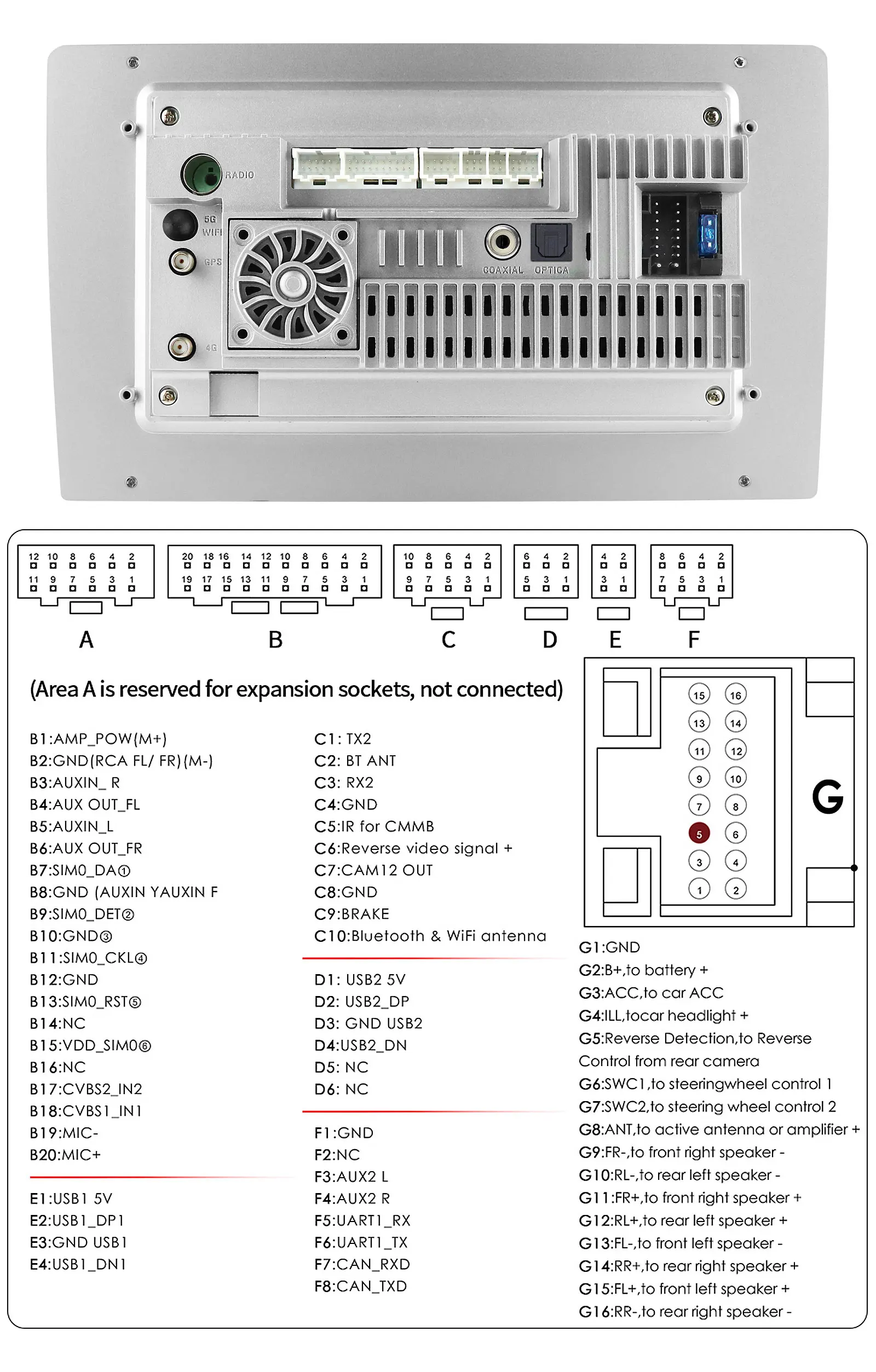
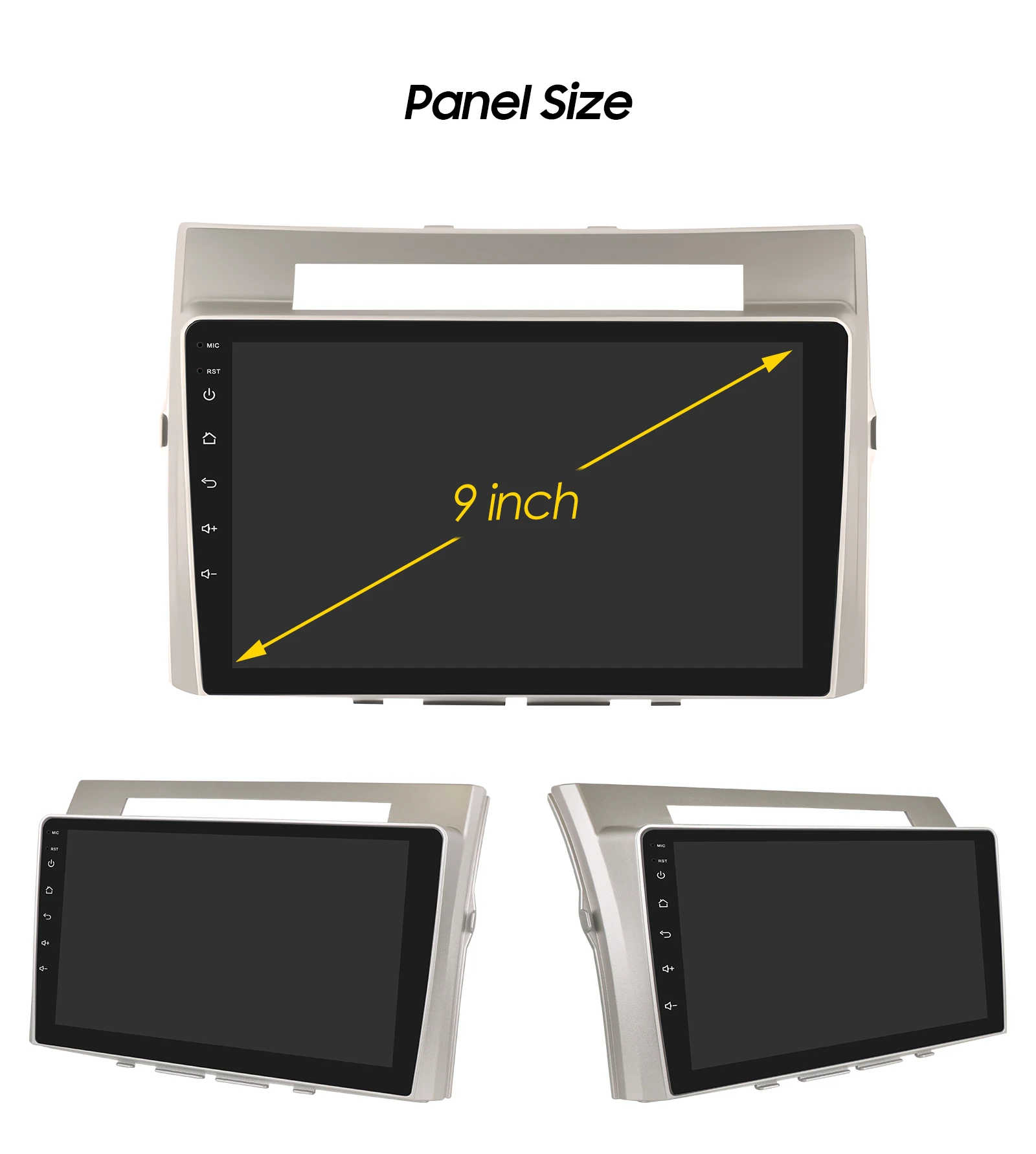
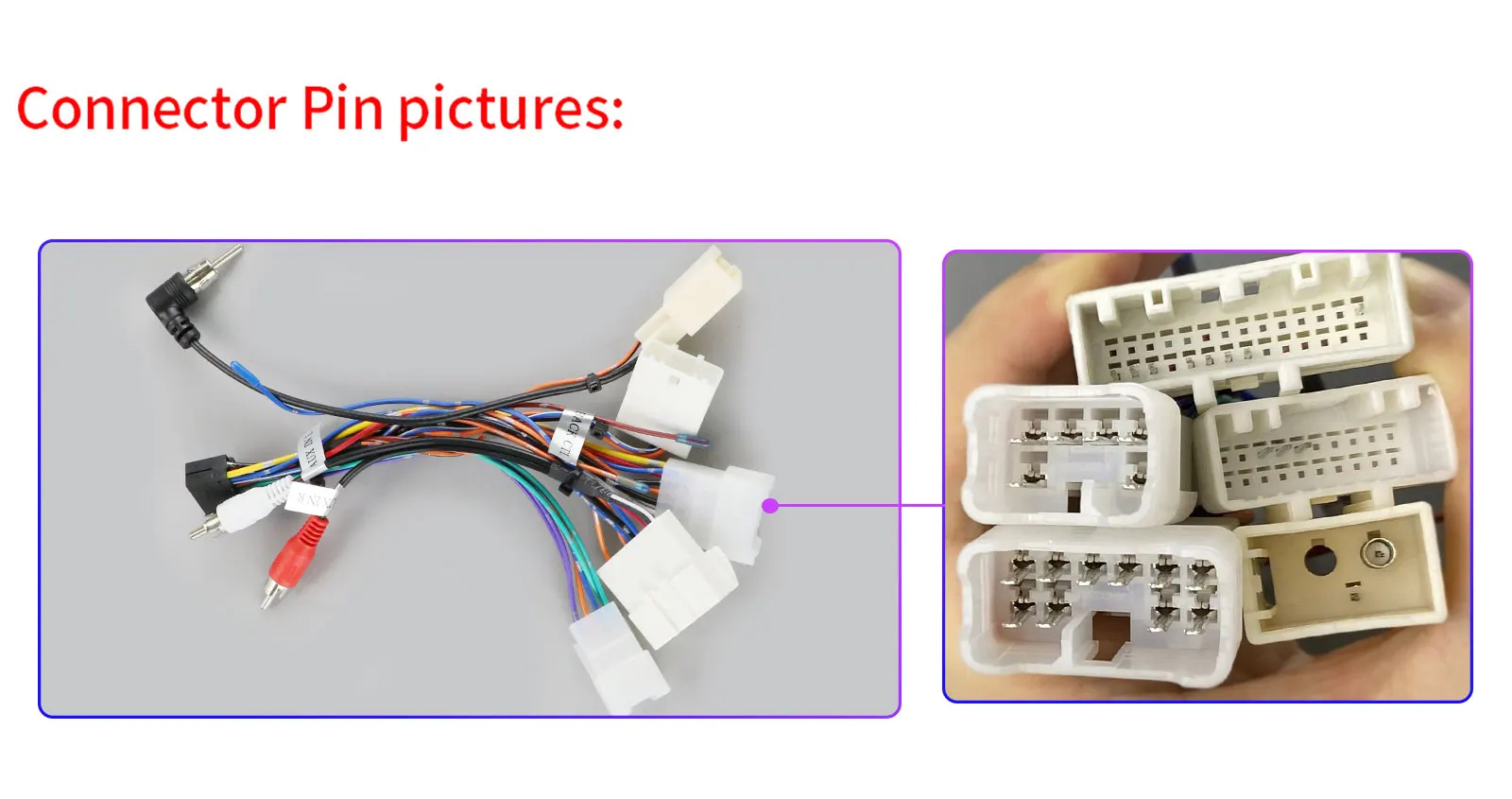
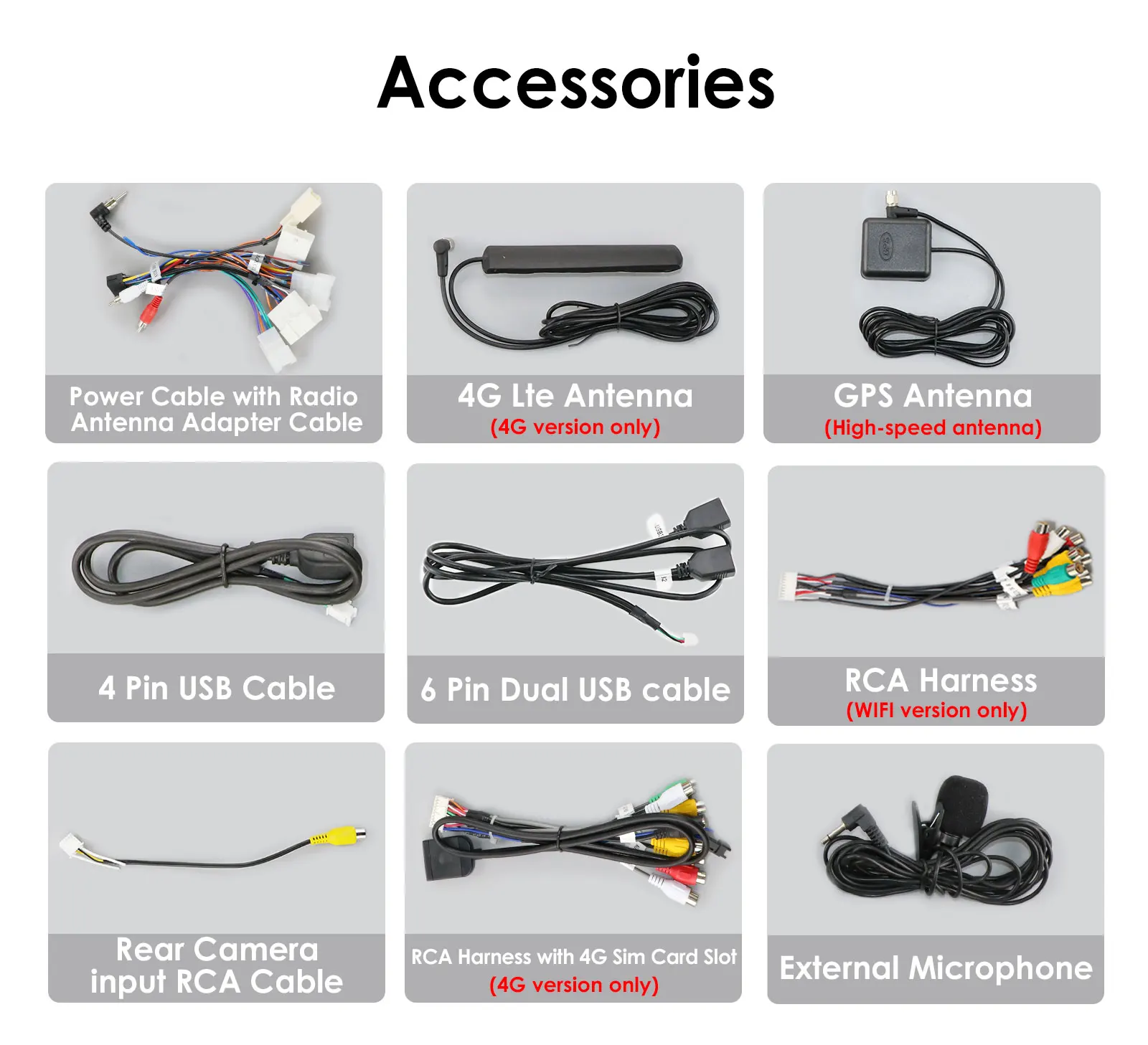
FAQ:
Q1.Why can't turn on the car radio ?
1>Please check the Voltage of car radio : 12V
2>When you test this car radio,you can combine the red and yellow wires and connect them to the positive side of the power supply.Black line to negative power supply.
3>Replace the same type of insurance to test the car radio.
Note: Please must use our power cables to connect our car radio,it is not possible to insert the original car plug directly into our machine.
Q2.What's the factory password?
For S series :the factory password is 8888.
Factory reset or erase data:
1.Car Settings-Factory-225588-ok-Erase user data.
2.Car Settings-Factory-22558800-ok. Erase all data including factory settings.
For P series:the factory password is 16176699.
Factory reset or erase data:Settings-Car Settings-Factory-16176699 ok-Erase all data (factory reset)-ok
Q3.How to connect the rear view camera?
1)Red cable @ is connected to the backup light "+
2) black cable @ is connected to the backup light "_"
3)The reversing detection cable @ Brown color is connected to the red cable @ which extending from the video input cable
4) cable does nof need fo be connected
 Q4.Why the car radio will show "No Signal" when we reversing?
Please make sure you have connected the camera AV cable to the CAM VIN cable.
HC series product only support 720P camera or CVBS camera, if you buy a AHD 1080P camera, please replace it to 720P.
For S series, please check if the backcar mode is correct. Following Car Settings-Backcar-Backcar mode. You can try to set to AHD720P25 or AHD1080P25.
Q5:Why does the steering wheel control not work?
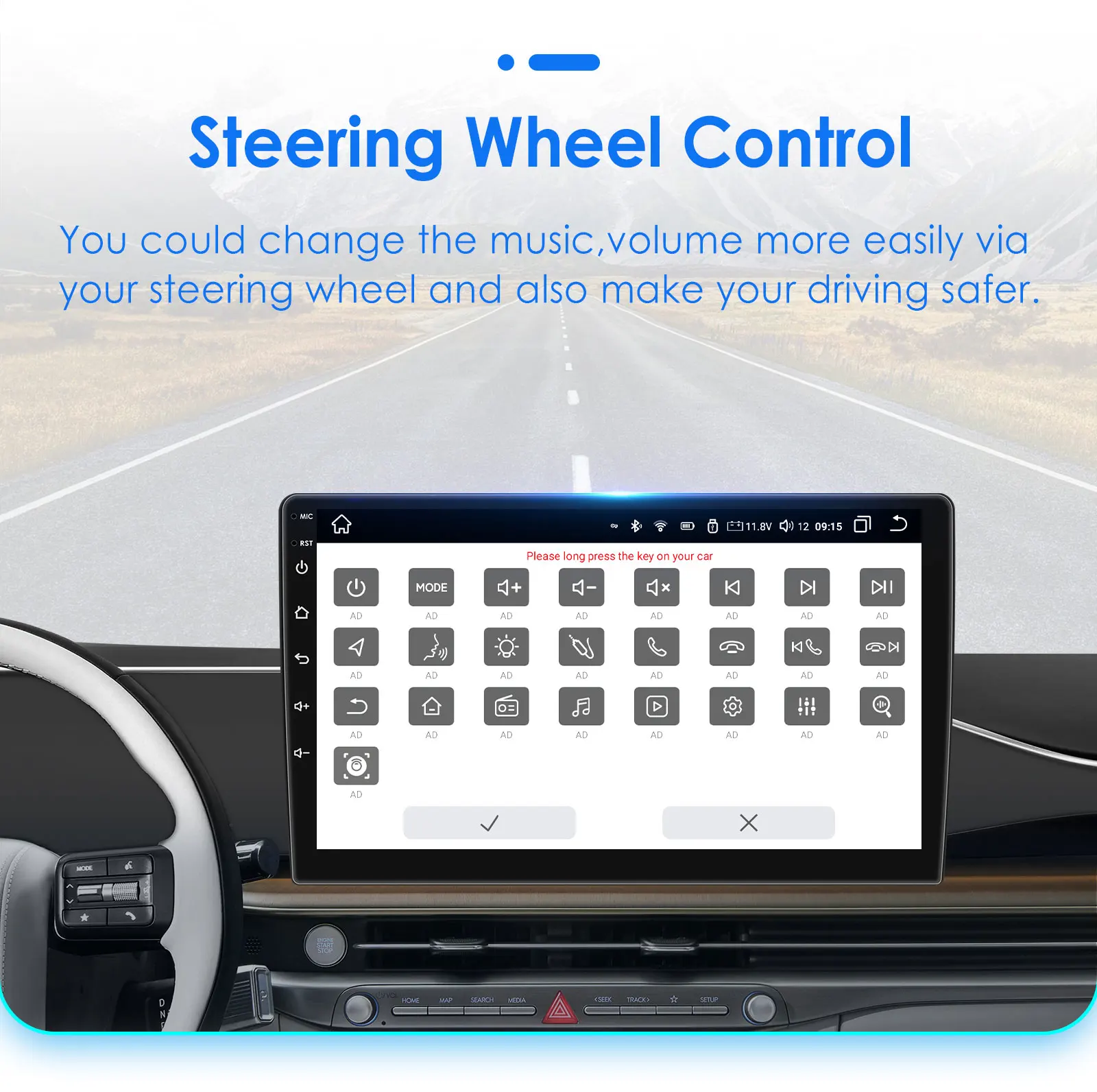
please check the 8pin interface of canbus cable connected first and then choose canbus type,the steering wheel controls will work.If you do not know the canbus model, please contact customer service.(after you make order,we will send the wire connect picture and protocol setting step to you)
Q6:How to connect Carplay and Android Auto?
For CARPLAY: First, make sure that the Siri function on the phone is turned on. Connect the phone Bluetooth to the machine Bluetooth, and then open the Carplay related apps on the machine (such as ZLINK, TLINK, Carletter). The phone will prompt to authorize CARPLAY. Click OK to authorize. If the operation is incorrect, clear the Bluetooth matching record and try again.
For Andriod Auto:After connecting the mobile phone Bluetooth to the machine Bluetooth, open the Carplay related apps on the machine (such as ZLINK, TLINK, and Carletter), and the phone will prompt to authorize AUTO. Click OK to authorize.
Q7.Why can't search FM?
1>: No radio antenna inserted;
2>: Please check if the radio antenna is plugged in. Please insert more antennas several times to make it well contacted;
3>: The signal of your location is not good. Please go to a better place to test again
4>: The radio antenna on the car is broken/no effect; please replace the radio antenna and test again.
If you have any other questions, please contact our customer service as soon as possible.
Best wishes !
🚚 Shipping: Items ship within 1-3 business days.
🔧 Warranty: 1-year warranty included.
🔄 Returns: 30-day return policy.
Images are for reference only.