
Skip to product information




For Android Radio DAB+ DVR TPMS CARPLAY OBD 360 Cameras Voice Control Video Out For Androi | AUTOKITSHOP
$290.56
Link to the installation video
https://docs.google.com/document/d/1q2gNGMTzfTP9G96QAbDuDXmjs0zm_XKbMEmOQAZwcdo/edit?usp=sharing
Description for NWD machine
*When you install our radio, what do you need to do?
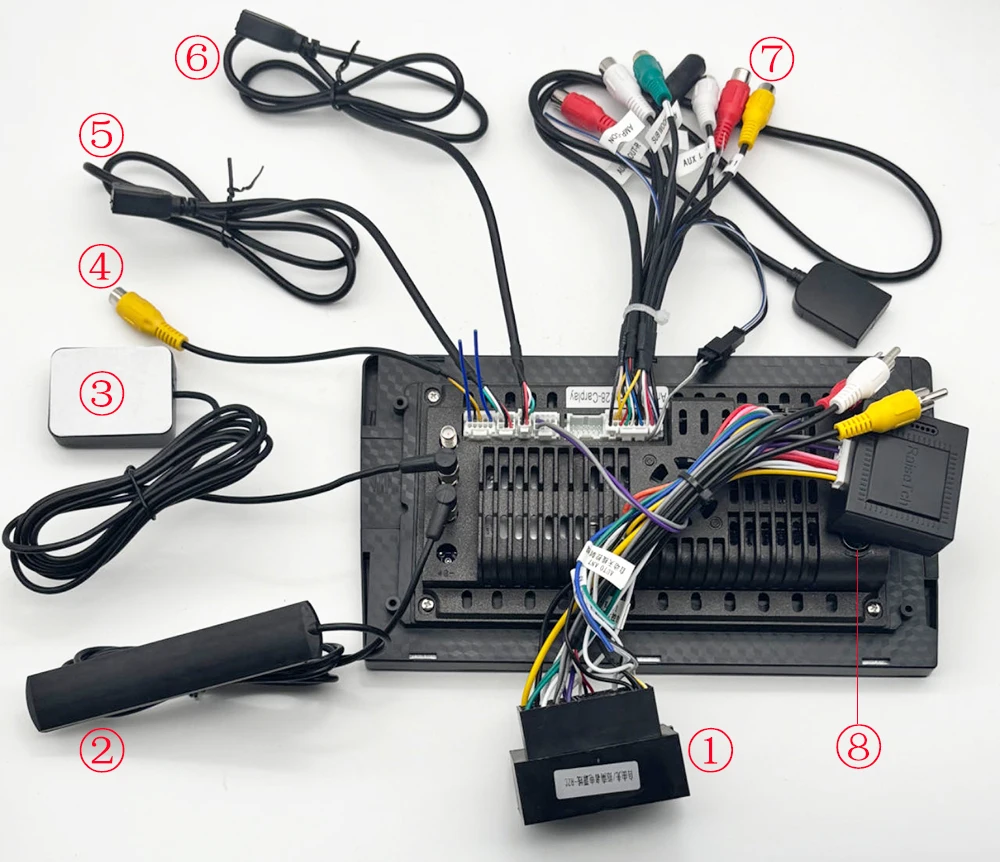
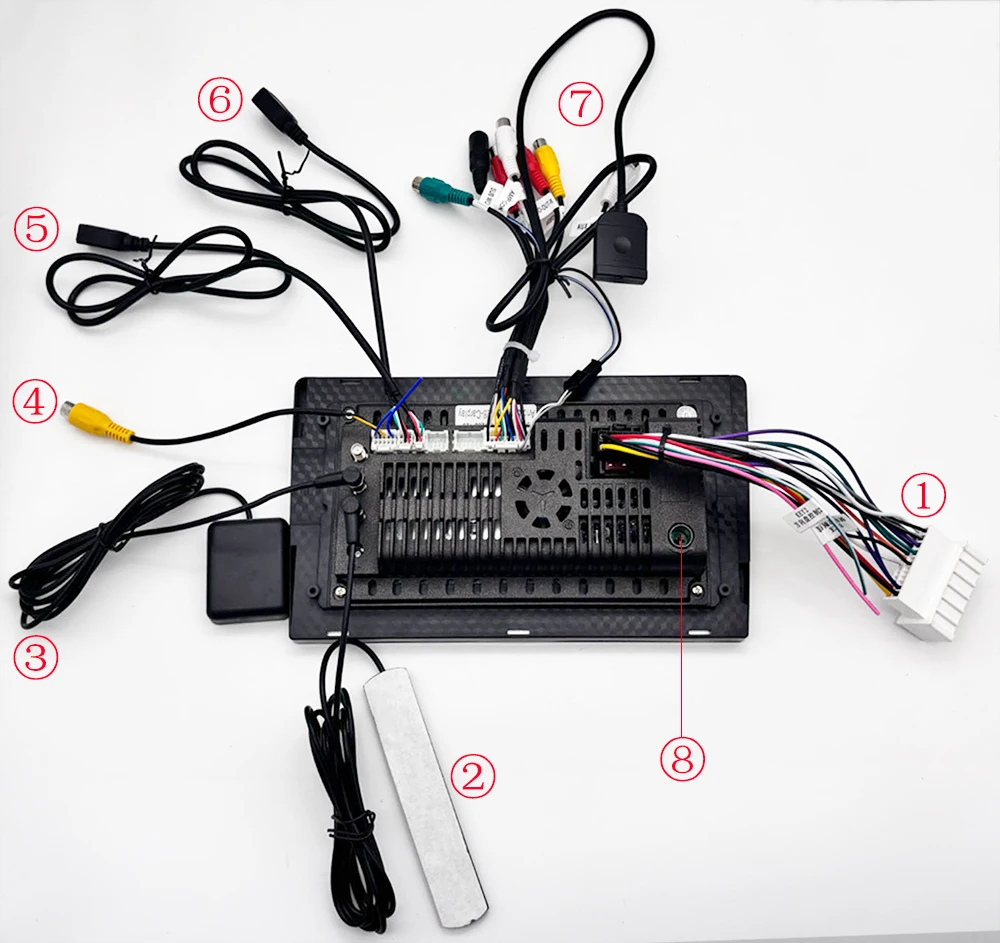
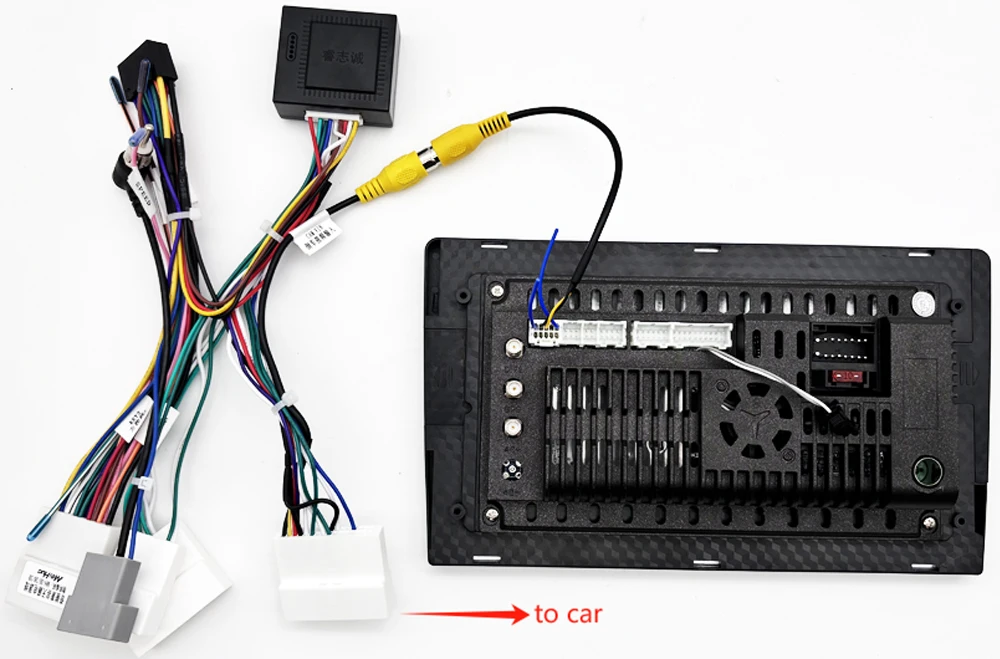
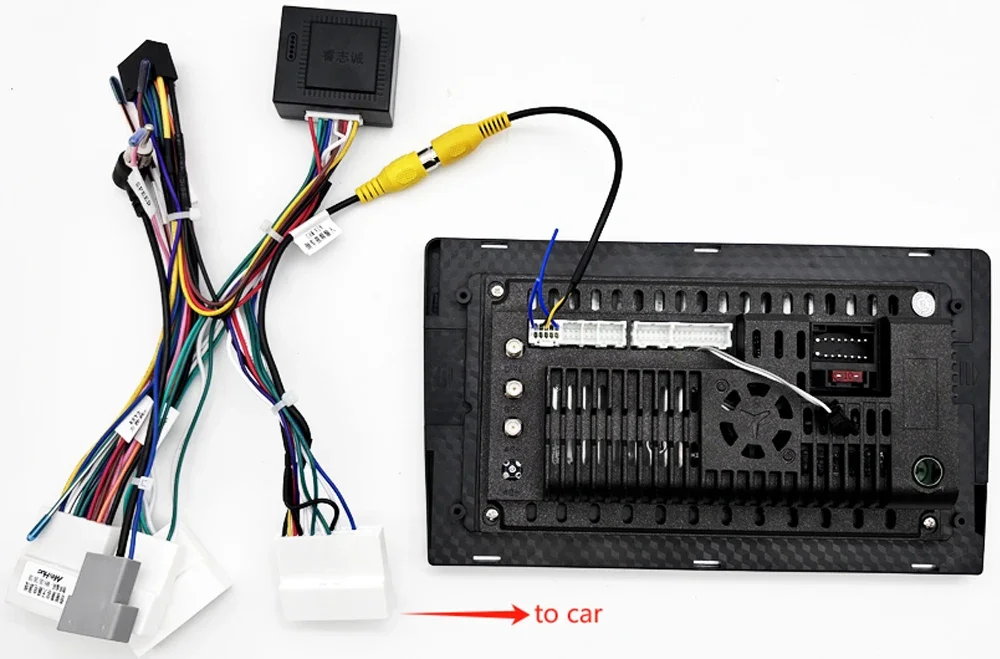
Connect all the cables as below photo shows.
If power cable is not with canbus, go into steering wheel control function to learn to make the SWC buttons works. If your model power cable is with canbus, remember to connect the canbus port first and then set canbus type first, then go into steering wheel setting to learn.
*CANBUS model wiring:
①--Power Cable with canbus ②--4G Antenna ③--GPS Antenna ④--Reverse Cable
⑤⑥--USB Port ⑦--RCA cable ⑧--Radio Adapter
*NO-CANBUS model wiring:
①--Power Cable ②--4G Antenna ③--GPS Antenna ④--Reverse Cable ⑤⑥--USB Port ⑦--RCA cable ⑧--Radio Adapter
*How to Connect WiFi:
Insert the reverse cable and then connect wifi.
*How to set canbus type?(connect wifi before set canbus type)
Connect canbus box on our power cable, then find the 10pin white connector on canbus cable to connect to our car radio CAN port first, then go Setting app == Factory == Password 1617 == Car model to set to the one we sent to you in aliexpress messages.
*How to learn in the steering wheel control function?
Apps—SW Learning---One hand long press the button on your car steering wheel, the other hand touch the option match the function you pressed on our radio screen, (the green color NULL on the screen will changed to red digits), after learning all buttons, click " √ " to save, then it will work.
*How to enter factory settings:
Car Setting—System Settings—Factory Setting—Password 1617
*How to set the language:
Setting--System--language & input--language
*How to use 360 view camera?
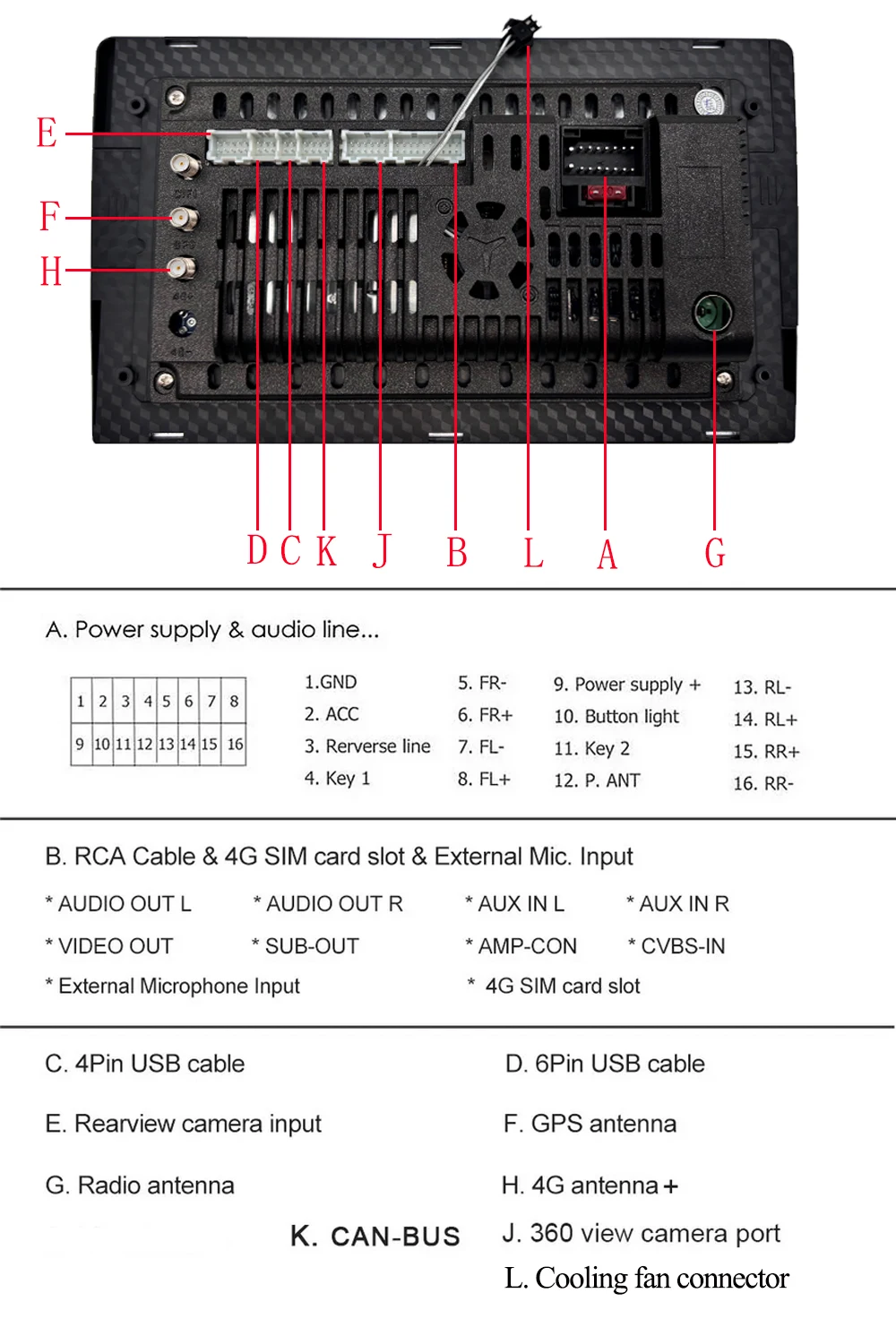
Buy 360 view camera from us and connect it to "Port J" to use it.
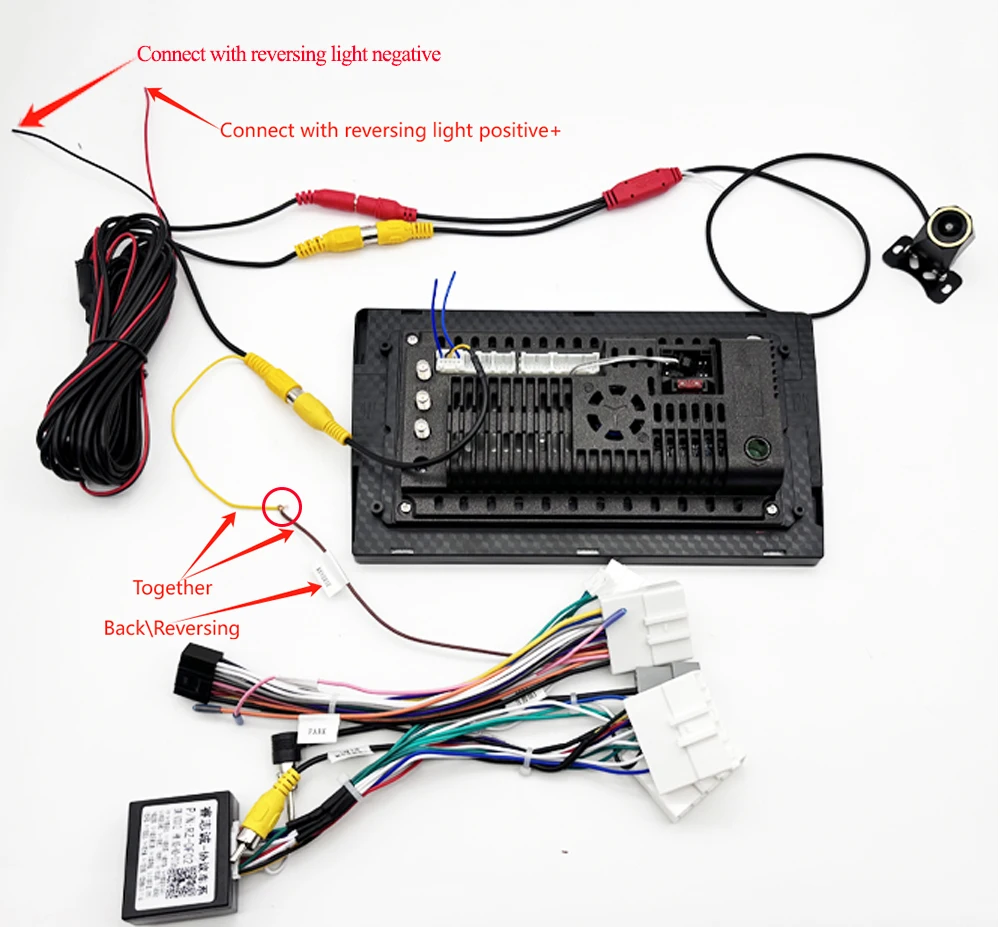
*How to use regular back view camera?
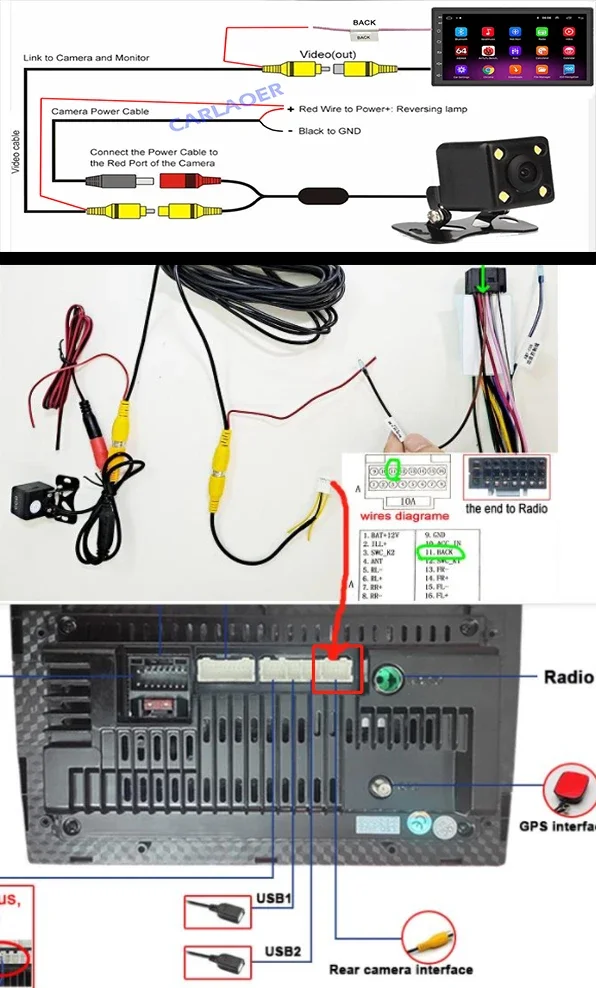
Connect like below picture shows, and set the rear veiw camera type in Car Setting--Factory setting--Password 1617----Backcar setting
*How to use built-in apple carplay?
Get an USB cable to connect your iPhone to 6P USB port, the built-in carplay app will show up on the screen automatically.
*How to split screen?
Setting--Factory setting--Password 1617---Split screen mode:Open--then you can split the screen.
*How to connect rear/back camera?
Connect like below picture shows, and set the rear veiw camera type in Car Setting--Factory setting--Password 1617----Backcar setting----HD reversing system---AHD 720P-25Hz
Installation menual
*How to connect rear/back camera?
For car original rear camera:
For after market rear camera:
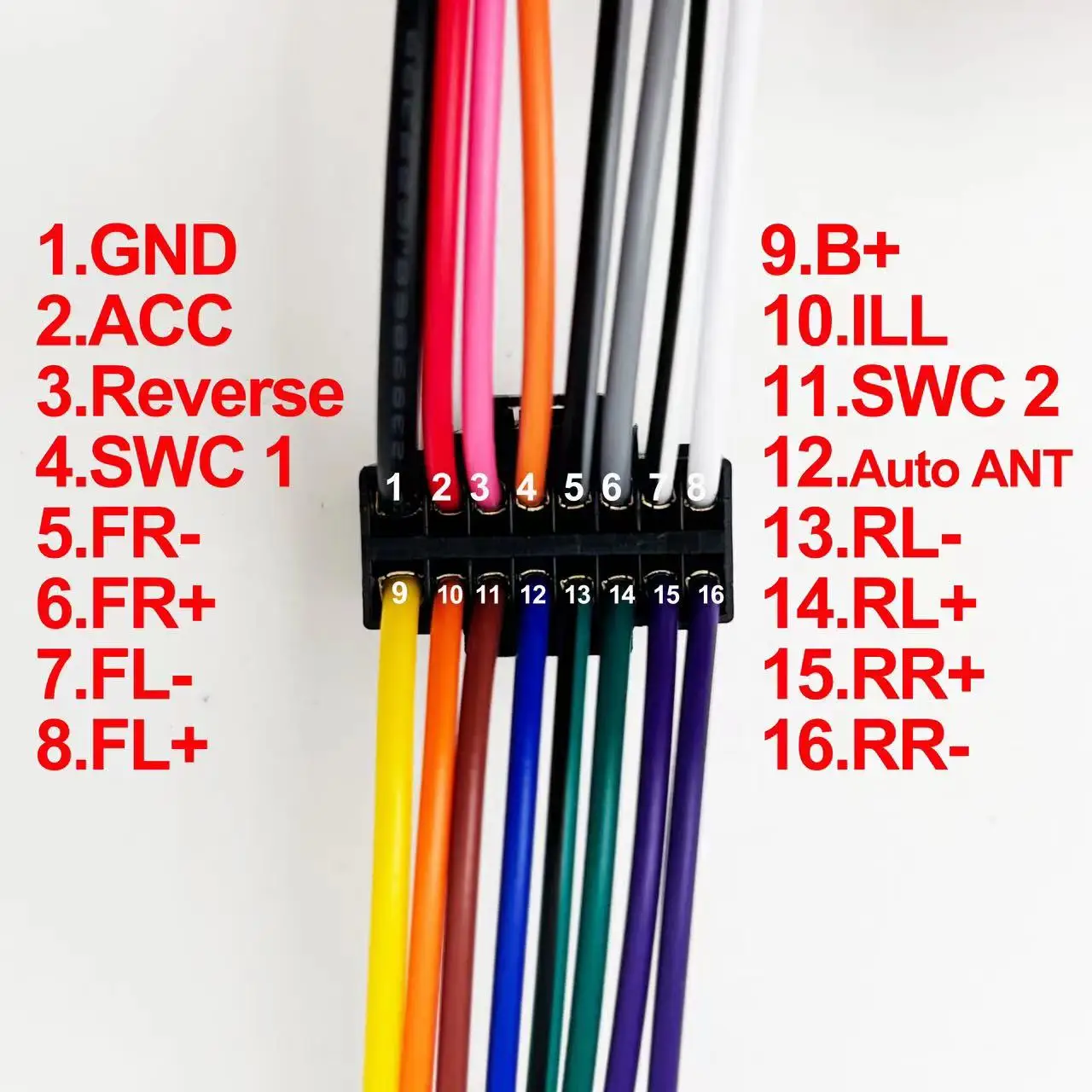
*Power cable definition:
*Port Details:
🚚 Shipping: Items ship within 1-3 business days.
🔧 Warranty: All AUTOKITSHOP products come with a 1-year warranty. Contact us with a photo for a free replacement if any issues arise.
🔄 Returns: Not satisfied within 30 days? Contact us for a replacement or refund.
Images are for reference only. Product specifications may vary by vehicle model.